
How to Confirm Shopify COD Orders on WhatsApp (Step by Step)
Calling every cash on delivery order doesn't scale. How Pakistani Shopify stores confirm COD orders on WhatsApp, by hand or automatically with Confirm and Cancel buttons, and what to do with customers who don't reply.
invertbyte Team
Product Team
Confirming an order before it ships is one of the simplest ways to cut refused COD parcels. A customer who confirms is far more likely to accept the parcel. A customer who never answers is a warning.
The problem is doing it at scale. Calling 20 customers a day is fine. Calling 200 is a full-time job, and half of them don't pick up.
That's why most Pakistani Shopify stores have moved order confirmation to WhatsApp. This guide shows how to do it by hand, how to automate it, and what to do with the customers who don't reply.
Why confirm COD orders at all?
With cash on delivery, the customer pays nothing up front. Some orders are placed by mistake, some by people who change their mind, and some are fake. Every one of those parcels costs you a delivery charge, often a return charge, and stock that's stuck for days.
A quick confirmation before booking catches many of them:
- Customers who ordered by mistake cancel straight away.
- Customers who never meant to buy don't confirm.
- You get a chance to fix a wrong address or phone number before the rider goes out.
Why WhatsApp works better than calls
- Customers answer when it suits them. A call at 2 pm gets missed. A WhatsApp message gets read on the way home.
- It's in writing. You have a record that the customer confirmed the order, the address and the amount.
- It's faster for your team. One person can send many messages in the time it takes to make a few calls.
Calls still matter. Use them for customers who don't reply, large orders, and customers who refused parcels before.
Option 1: Confirming on WhatsApp by hand
If you ship a few orders a day, this works fine.
Step 1: Save a message template
Using WhatsApp Business, save a quick reply like this:
Assalam o Alaikum {name}! Thank you for your order #{number} from {store}. Total: Rs {amount} (cash on delivery) Address: {address} Please reply YES to confirm, or NO to cancel.
Step 2: Send it for every new order
Open each new Shopify order, copy the name, number, amount and address into the template, and send it to the customer's WhatsApp.
Step 3: Record the answer
Mark the order as confirmed or cancelled, with a tag or a note in Shopify, so the person booking parcels knows which ones to ship.
Step 4: Follow up
If there's no reply in a few hours, call. If there's still no answer by the next day, hold the order.
The weak spot is step 2 and 3: copying details by hand is slow, mistakes creep in, and answers get lost in the chat list.
Option 2: Automatic WhatsApp confirmation with buttons
With an order management system, the same flow runs on its own:
- A new Shopify order comes in.
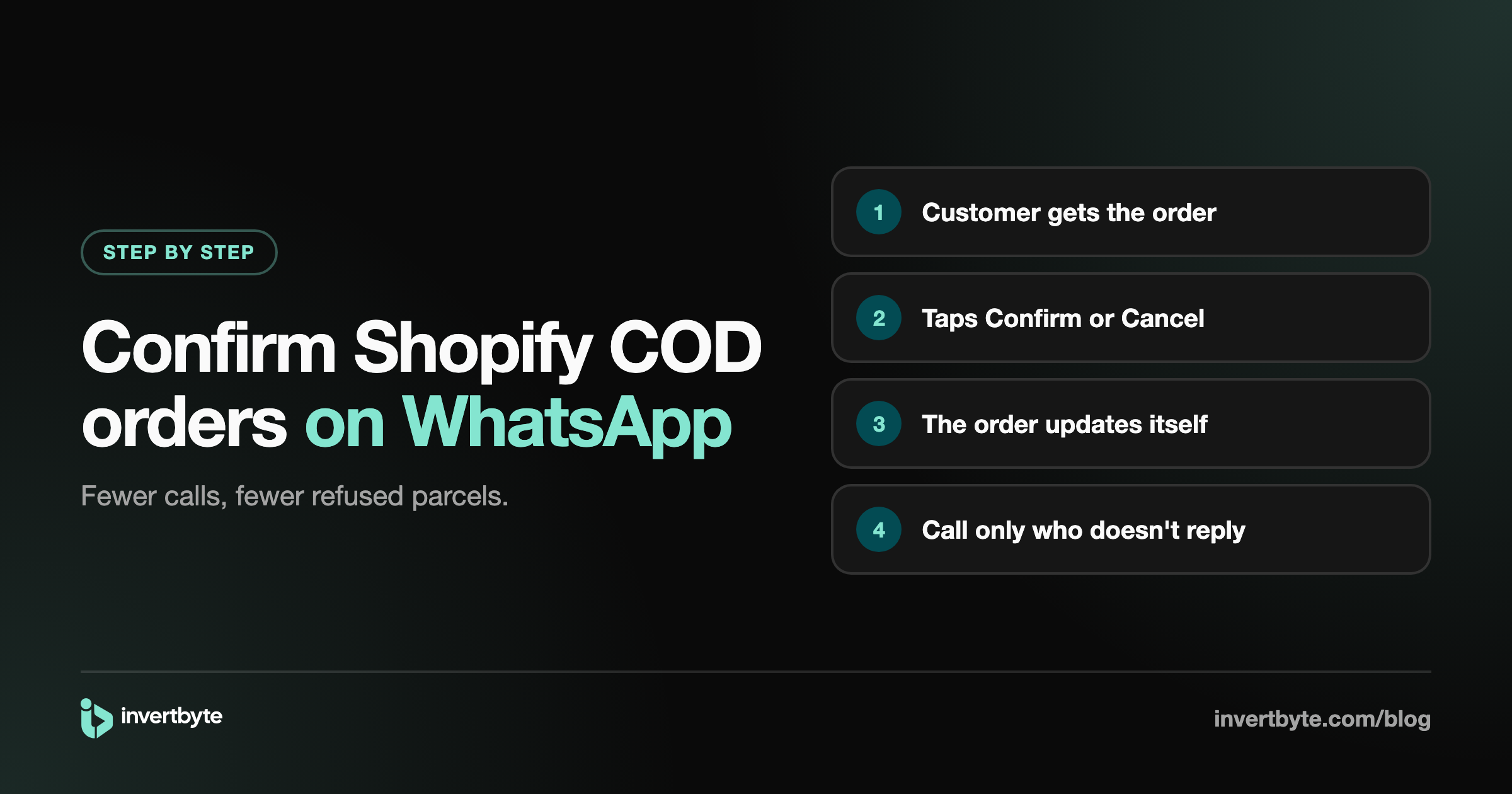
- The customer gets a WhatsApp message with the order details and two buttons: Confirm and Cancel.
- When the customer taps Confirm, the order is marked confirmed and moves on to booking.
- When they tap Cancel, the order is cancelled before anything is shipped.
- If they don't tap anything, the order waits for your team to call.
Nobody copies details or reads replies one by one. Your team only works on the orders that need a person.
What a good automatic setup includes
- Only for COD orders. Prepaid orders don't need a cash confirmation.
- Buttons, not "reply YES". One tap is easier than typing, and there's no reply to read and match to an order.
- The customer's language. English, Roman Urdu or Urdu, depending on your customers.
- Your store's name on the message, so customers know who it's from.
- A record on the order of what was sent and what the customer chose.
What to do with customers who don't reply
Most stores use a simple routine:
- After a few hours: a call from your team.
- Next day, still nothing: keep the order on hold.
- Risky customers (incomplete address, past refusals): don't ship until they confirm.
Some stores ship anyway after one day for small amounts. That's a business choice. What matters is that someone decides, instead of the order getting booked by default. For more warning signs, see 7 Signs a COD Order Might Be Fake.
After confirmation: keep the customer in the loop
Confirmation is the first message, not the last. Two more cut refused parcels further:
- Shipped: the courier name and tracking number, so the customer expects the parcel.
- Out for delivery: "your parcel arrives today, please keep Rs X ready". A customer who has the cash ready is much less likely to refuse.
How invertbyte does WhatsApp confirmation
invertbyte sends WhatsApp messages from your automation rules:
- Order confirmation with Confirm and Cancel buttons. The order updates itself when the customer taps.
- Shipped with the courier and tracking number.
- Out for delivery asking the customer to keep the cash ready.
- Delivered thank-you, and a message asking for a complete address when one is missing (the reply lands on the order).
Messages go from invertbyte's number with your store name, or from your own WhatsApp number, in English, Roman Urdu or Urdu. Prepaid orders and orders with nothing left to collect don't get the COD messages. Every message and reply shows on the order's timeline.
Read how it fits the rest of the order flow in Shopify Order Management in Pakistan: The Complete Guide.
Frequently asked questions
Can I send WhatsApp messages automatically from Shopify?
Shopify doesn't send WhatsApp messages on its own. You need an app or an order management system connected to the WhatsApp Business Platform, which sends approved message templates for each order.
Do I need my own WhatsApp Business API number?
Not necessarily. With invertbyte you can start on invertbyte's number with your store name on each message, or set up your own number later.
Can customers reply to the message?
Yes. With buttons, one tap confirms or cancels. Customers can also type a reply, which your team can see on the order.
Will WhatsApp block my number?
WhatsApp only allows approved templates for business messages, and order confirmations are exactly what it allows. Problems come from promotional messages sent to people who never ordered, which is why order messages should stay order messages.
Should I still call customers?
Yes, for the ones who don't reply, large orders and customers with past refusals. WhatsApp handles the rest.
Try it on your next orders
invertbyte has a 14-day free trial, no card needed. Book a 20-minute demo and we'll set up WhatsApp confirmation for your Shopify store on the call.
Setting it up in invertbyte